Using a Widget
You can use a widget to display testimonials. The widget allows the same options as the shortcode. Drag the widget to a widetized area and enter a title
- Group
- “all” – ignores groups
- “group_name”- display only this grouping
- Number
- “all” – displays all testimonials
- “XX”- put in the number of testimonials you want to display
- By
- random – display randomly
- order – display by order number lowest to highest
- date- display most recent first
- IDs
- “” – leave blank if not using IDs
- “ID1,ID2,etc” – put in one or more testimonial IDs separated by a comma
- Rotate
- “no” – display all selected testimonials
- “yes” – rotate each testimonial
- Layout
- “0” – default to whatever is set up in the General Options Panel
- “1” – no format top meta
- “2” – no format bottom meta
- “3” – no format side meta
- “4” – format top meta
- “5” – format bottom meta
- “6” – format side meta
- Use Schema
- “default” – whatever is set up in the General Options Panel
- “yes” – override to yes
- “no” – override to no
Tips
- The fewer the testimonials the faster the load time
- Rotate a maximum of 10 testimonials
- Do not use more than five rotating widgets on a page
- If you are not rotating testimonials keep the number below 3
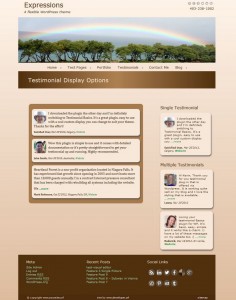
The image below shows a screenshot of widget layouts